Learn any song by
ear, in tonic sol‑fa
and letters
Instrumentalist listens to a song and writes it back out in its simplest form: tonic sol‑fa and letter notes. A Swiss Army knife for anyone who plays by ear.
Read it, keep it, and learn the performance in minutes, not weeks
We’ve done the heavy lifting for you. No more spending minutes, or hours, scoring a song by ear.
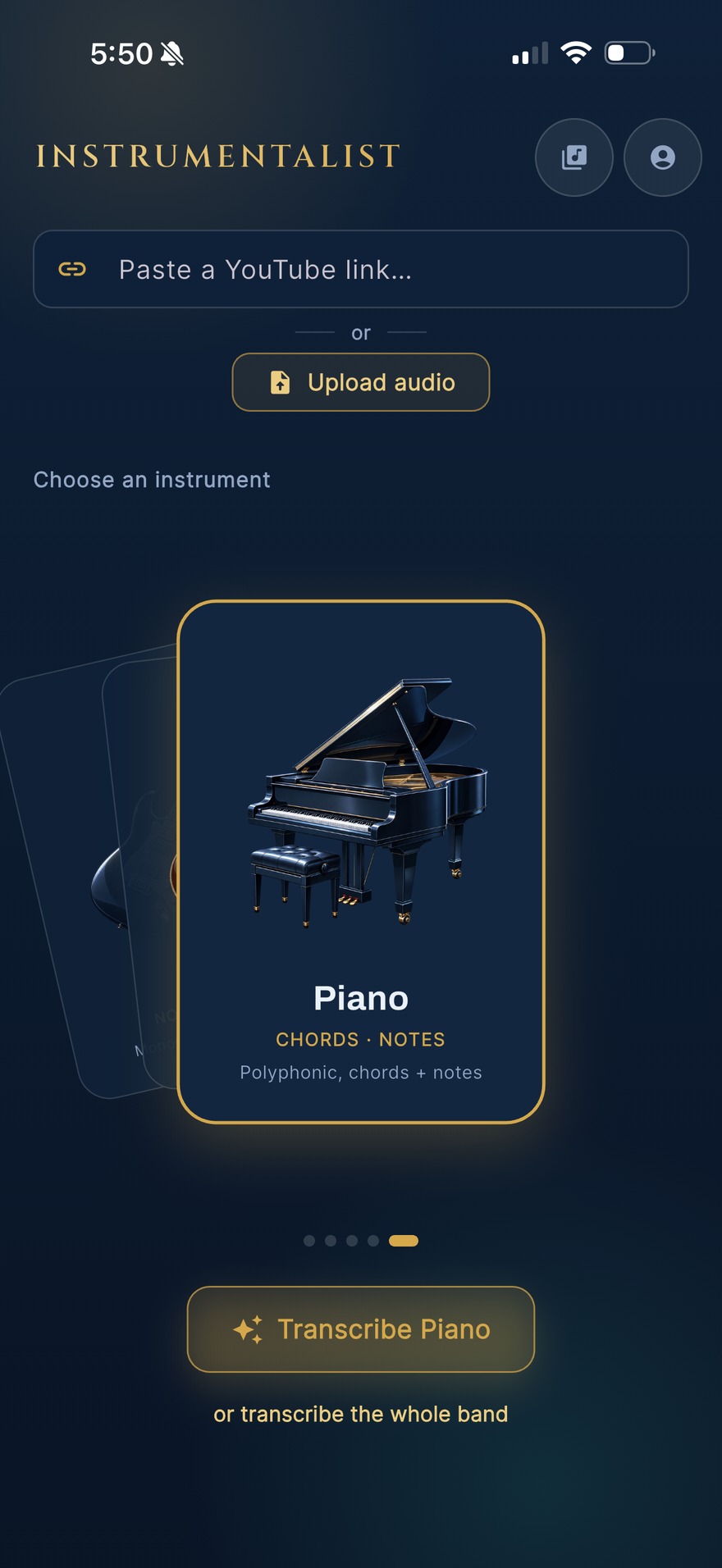
Bring a song
A YouTube link or an audio file. Pick your instrument.
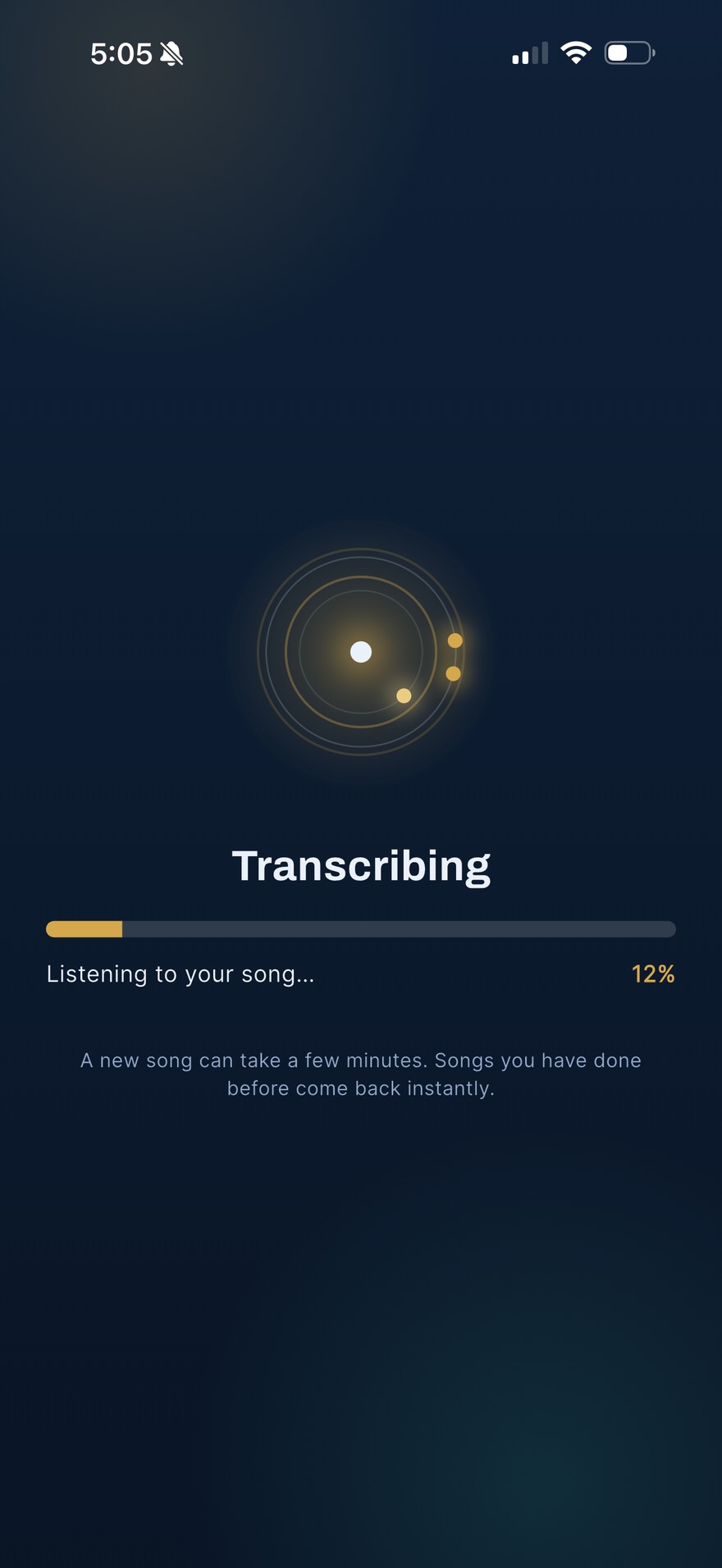
It listens
AI separation lifts your part out of the mix and reads it.
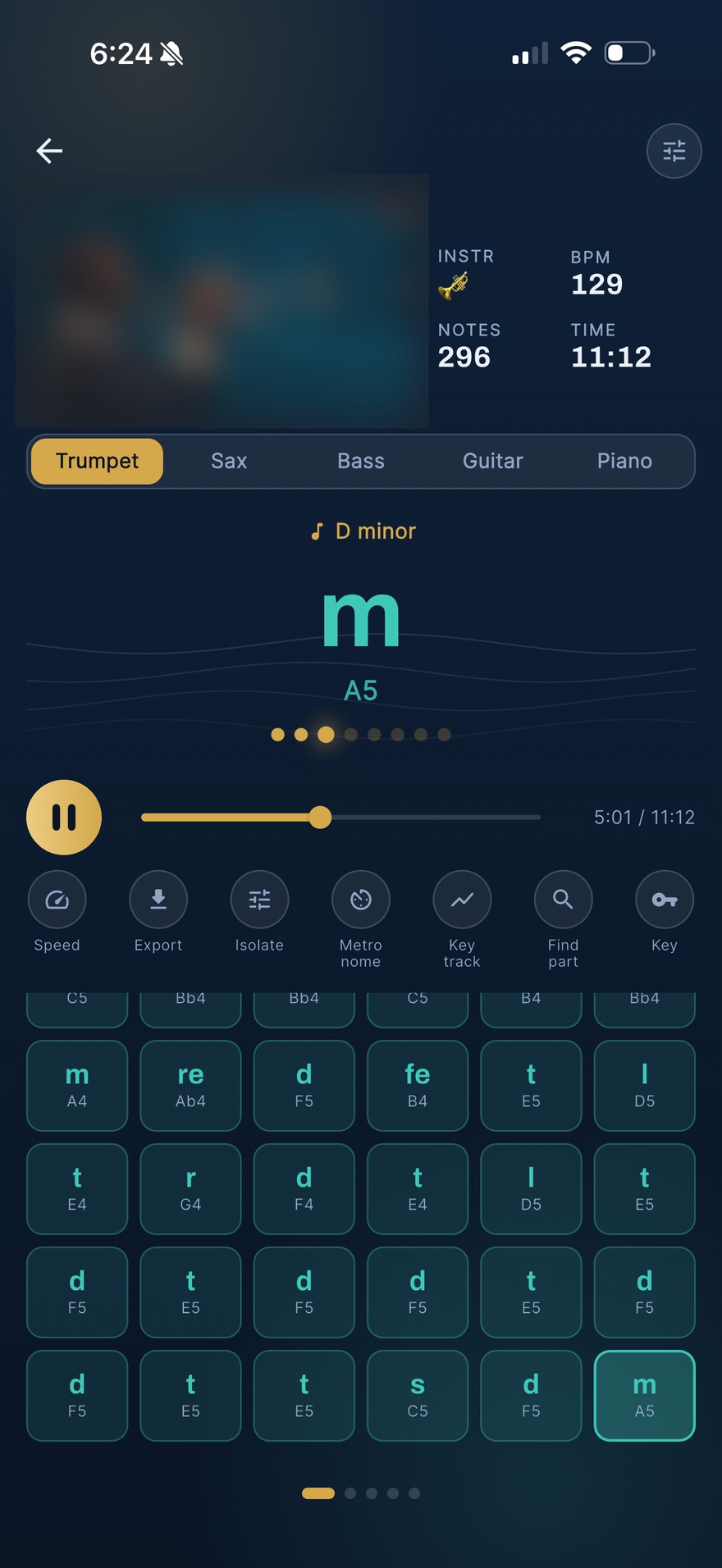
Read and keep
Sol-fa and letter notes in time. Export, or replay it free.
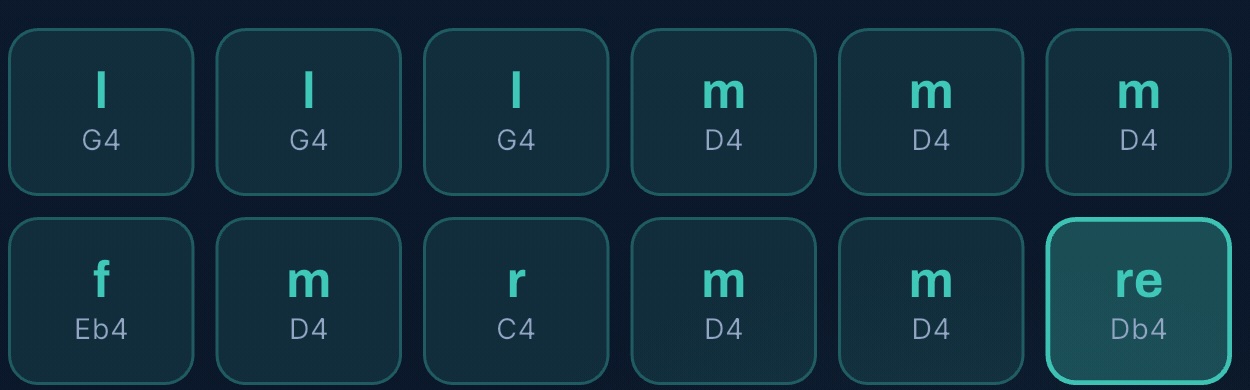
Sol-fa first
Letters underneath
It doesn’t matter how you play, we’ve got you. You can toggle sol-fa or letters, and learn by ear.
- Doh re mi, the way you already hear the line.
- Letter name and octave under every note.
- Lit in time with the song as it plays.
One instrument at a time
or the whole band at once
Trumpet, sax, bass, guitar and piano. Pull one part, or sweep the band in a single pass and settle every part on one key.
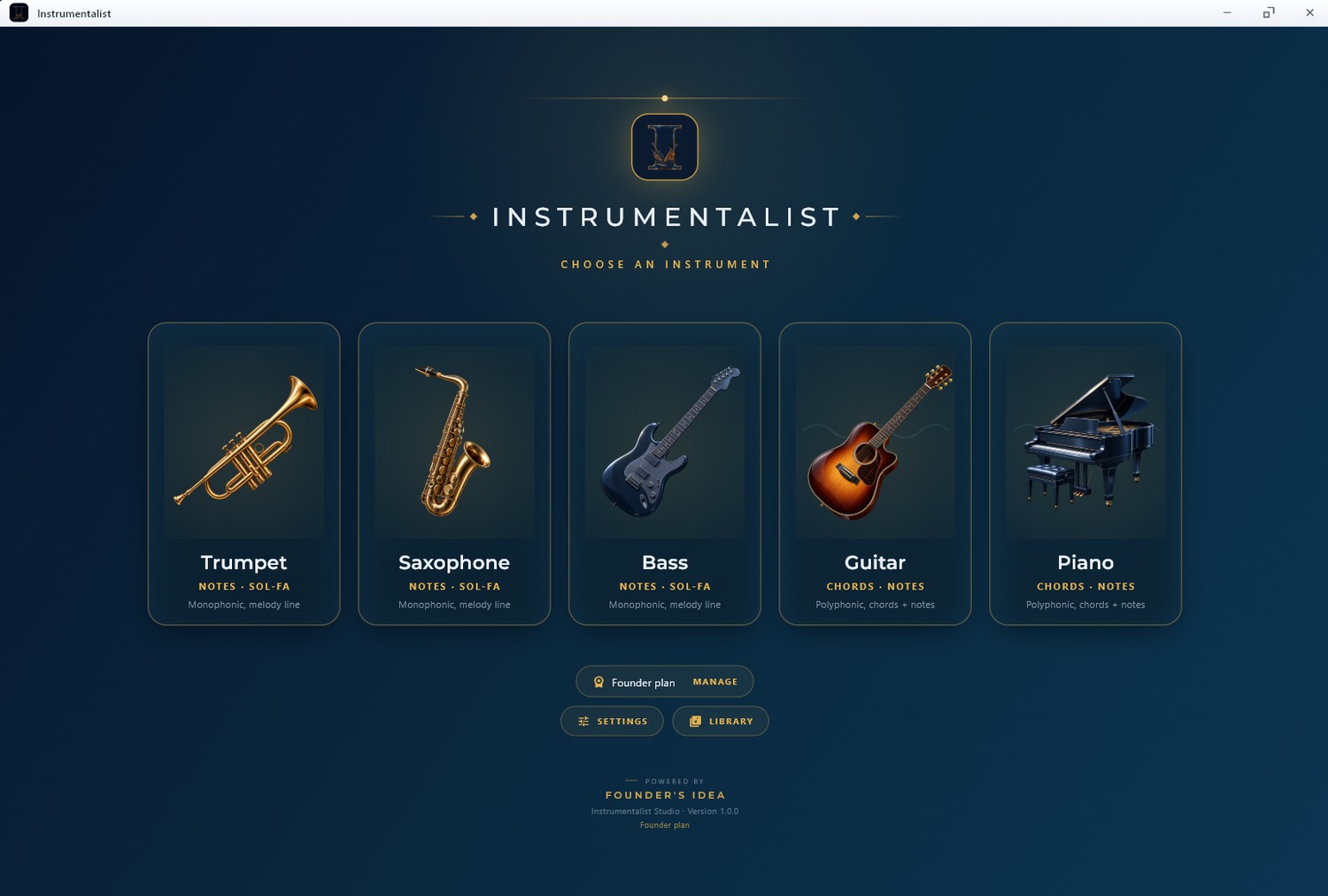
Returns the melody and the chords,
from any audio you feed it
Every instrument, separated
Each part lifted out of a full mix and transcribed on its own.
Key, tempo and chords
Detected for you, not guessed by you, and shown with the part.
Whole-band sweep
All five instruments from one analysis, on one shared key timeline.
A library that replays free
Every song you analyse is kept. Reopen and play it any time.
Export it anywhere
MIDI for your DAW, PDF for the stand, engraved score and MusicXML.
It follows key changes
Key tracking marks the modulation, so it never throws your reading.
On your computer
and your phone
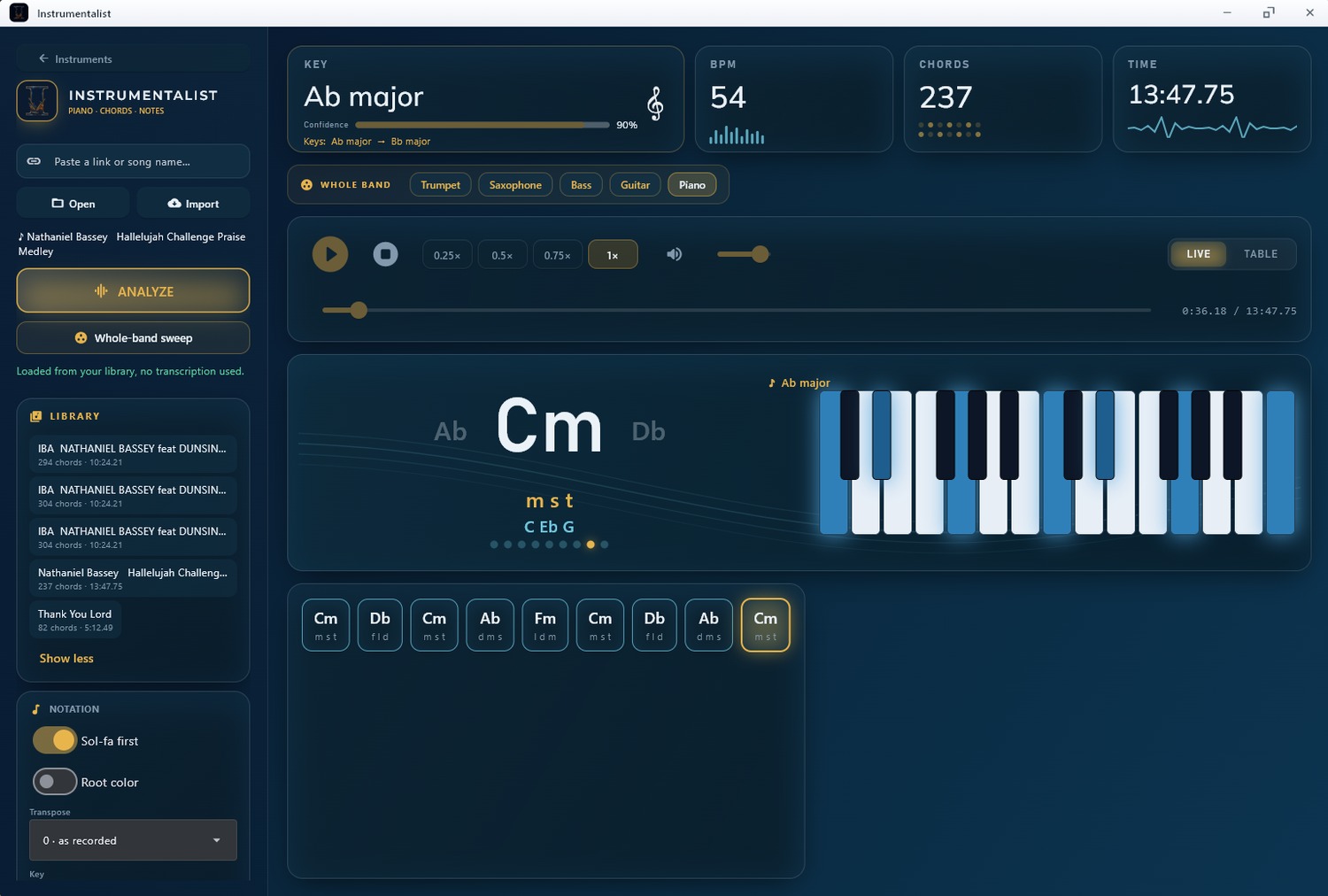
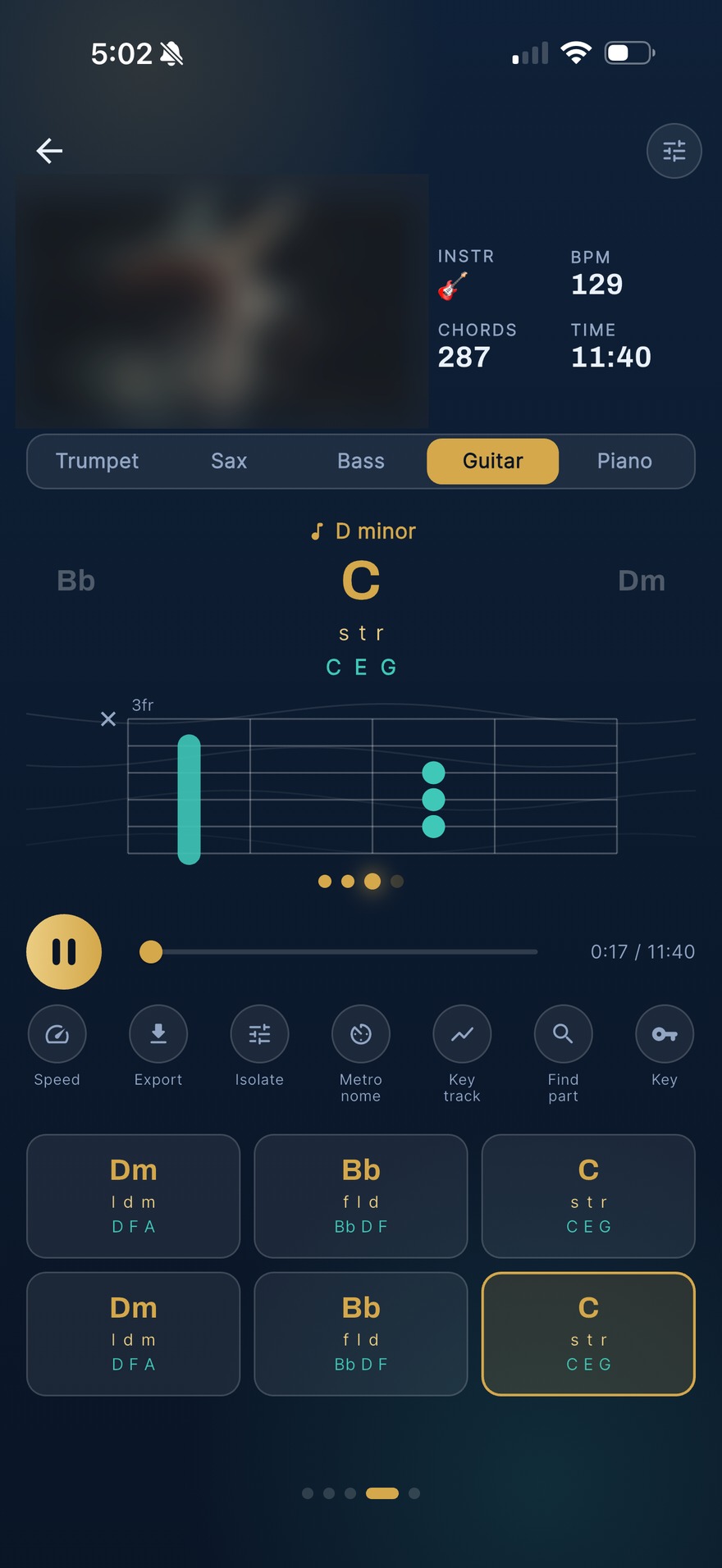
Windows, macOS and Android today. iPhone is in review with Apple.
Start Transcribing for free
Start free with a free account, no card. Move up when you want the other three instruments, longer tracks or the exports.
- 5 songs a month
- Trumpet or piano
- Letter notes & tonic sol-fa
- Desktop: whole songs up to 3 minutes
- Phone: the first minute, from a YouTube link
- Free account, no card
- 40 songs a month
- Tracks up to 12 minutes
- 2 devices
- All five instruments
- Letter notes & tonic sol-fa
- Key, tempo & chords
- Song library, replay free
- Export to CSV, MIDI & sol-fa
- Everything in Player, plus:
- 100 songs a month
- Tracks up to 25 minutes
- 2 devices
- Whole-band sweep: every instrument in one pass
- Printable PDF charts
- Everything in Studio, plus:
- 300 songs a month
- Engraved sheet music: PDF & MusicXML
- 3 device seats for your group
- Buy extra units for 3 more seats each
- One licence for the whole team
The free plan needs a free account, no card | paid prices in USD | naira shown automatically at checkout in Nigeria | cancel any time
Get Instrumentalist
Start with a free account, no card. Your licence key lives in your account, so you just paste it in to activate. New to it? Read the user guide.
Already have an account? Pick your system below.
Version 1.0.0 | 64-bit | most Macs from 2020 on are Apple Silicon (M1/M2/M3/M4). Not sure? Apple menu → About This Mac.
On a phone, Instrumentalist transcribes in the cloud.
What musicians are saying
Real notes from real players. Used it yourself? Add yours below, and we read every one before it goes up.
No reviews yet. If you play with Instrumentalist, yours could be the first.
Frequently asked questions
Everything you need to know about transcribing music with Instrumentalist.
What do I get for free?
Five songs a month, on trumpet or piano, on a free account, no card. On Windows and macOS that is five full songs a month, up to three minutes each, read on screen. On Android and iPhone it is the first minute of five songs a month, started from a YouTube link. A subscription adds the other three instruments, longer tracks, the whole chart and every export.
Why do I need an account?
Everyone has a free account, free and paid alike. It is what ties your five free songs a month to you, so they cannot be reset by reinstalling, and it keeps your library and your devices in sync across the app and the desktop build. We use your email for your account and your receipts. Marketing email is a separate choice you opt into, never a condition of using Instrumentalist.
Which instruments can it read?
Trumpet, saxophone, bass, piano and guitar. AI separation lifts each one out of a full mix so it can be transcribed on its own.
Does it work offline?
The desktop app does. It transcribes on your own computer and only checks in about once a week to confirm your subscription, so it is fine on a plane or in a hall with no signal. The mobile app transcribes in the cloud, so it needs a connection to analyse a new song. A song you have already opened from a file on your phone can still be played back from that file.
How many devices can I use?
Player and Studio each run on up to two devices, any mix of phones, tablets and computers, so your own phone and laptop are both covered. Ensemble is the team plan, with 3 device seats for your group and the option to buy extra units for 3 more seats each, for a band, school or worship team. You can see your devices and remove one to free a seat at Manage your devices.
What can I export?
Letter notes and sol-fa as text and CSV, plus MIDI, on every plan. Studio and Ensemble add printable PDF charts. Ensemble also exports engraved sheet music as PDF and MusicXML.
Can I cancel?
Any time, from the billing link in your receipt or “Manage subscription” in the app. Your access runs to the end of the period you have paid for. See our refunds policy.
Is it priced in naira?
Yes, and at a discount. Prices show in US dollars and switch to naira automatically at checkout for visitors in Nigeria, converted at a flat ₦1,000 to the dollar rather than the market rate. With the naira around ₦1,375 to the dollar, that works out at roughly 27 percent off. The exact saving moves with the exchange rate; the ₦1,000 rule does not.
Where can I learn everything the app does?
The user guide walks through every screen and control, from importing a song to exporting sheet music.

Stop rewinding
Start reading
Free, with a free account: five songs a month on trumpet or piano. Subscribe for all five instruments, the whole chart and every export.